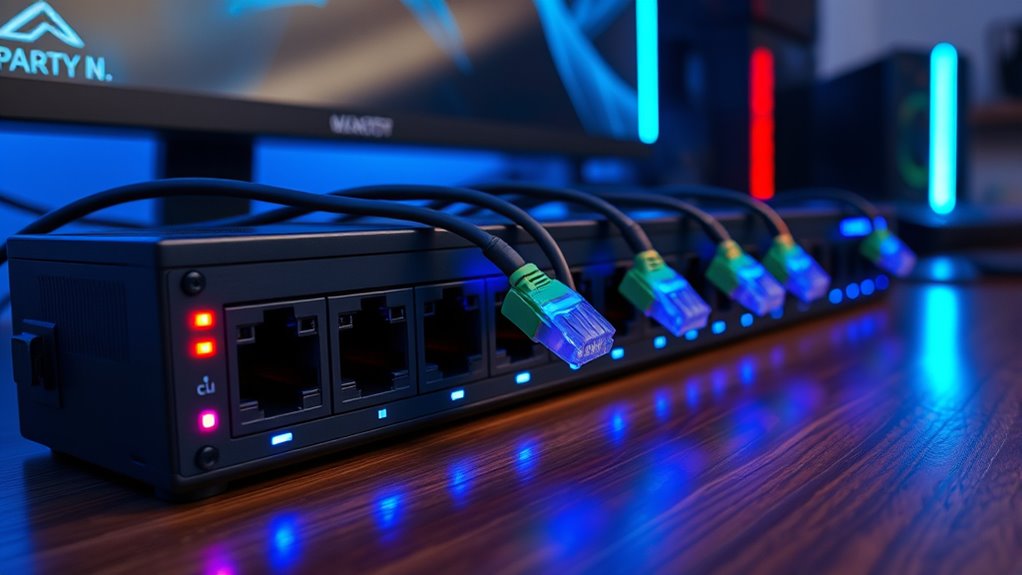
Gigabit Ethernet for Gaming: Wired vs. Wi-Fi Speed & Reliability
In the world of online gaming, every millisecond counts. Whether you're a casual player or a competitive eSports enthusiast, your network connection can be the decisive factor between victory and defeat. For years, the debate has raged:
wired versus wireless. While Wi-Fi has made incredible strides in convenience and speed, for serious gaming, a wired connection, specifically Gigabit Ethernet, consistently holds the upper hand. This article will delve into why Gigabit Ethernet is the preferred choice for gamers, compare its performance against Wi-Fi, and highlight the crucial role of a
Gigabit Ethernet switch for gaming.
What is Gigabit Ethernet and Why Gamers Should Care
At its core, Gigabit Ethernet is a wired networking standard capable of supporting speeds up to 1 gigabit per second (Gbps), or 1000 megabits per second (Mbps). To put this into perspective, it's roughly ten times faster than the older "Fast Ethernet" standard, which topped out at 100 Mbps. Most modern devices, from gaming PCs and consoles to smart TVs and routers, come equipped with Gigabit Ethernet ports, typically following the 1000BASE-T standard. These ports utilize all four wire pairs within a Cat5e or Cat6 Ethernet cable to simultaneously send and receive data, ensuring maximum efficiency.
For gamers, the sheer speed of Gigabit Ethernet isn't just about faster downloads – though that's certainly a perk. Its true value lies in providing a consistently high-bandwidth, low-latency connection. Imagine streaming 4K video, backing up large game files to a NAS, or simply navigating your home network. Gigabit Ethernet keeps these operations moving smoothly, without the bottlenecks often experienced on slower connections. When you're in the middle of a high-stakes online match, this translates directly to quicker reaction times, smoother gameplay, and a significant reduction in frustrating lag spikes. It’s about building a network foundation that can handle the demands of gaming, where steady bandwidth and minimal delay are paramount.
Wired vs. Wi-Fi: The Gaming Showdown
The convenience of Wi-Fi is undeniable. The freedom to game from anywhere in your home without being tethered by cables is a huge draw. Modern Wi-Fi standards like Wi-Fi 6 (802.11ax) and Wi-Fi 6E advertise impressive theoretical speeds that can even exceed 1 Gbps. However, theoretical speeds and real-world performance for gaming are often two very different things.
The Unbeatable Edge of Wired Gigabit Ethernet
For gaming, a wired Gigabit Ethernet connection offers several critical advantages:
- Unrivaled Stability and Consistency: A dedicated Ethernet cable provides a direct, physical link between your gaming device and the network. This means the 1 Gbps bandwidth is exclusively for your device, unaffected by other users or wireless interference. This translates to consistent performance, which is vital for competitive gaming where predictable responsiveness is key.
- Lower Latency and Ping: Latency is the time it takes for data to travel from your device to the game server and back. Ping is a measurement of this latency. Gigabit Ethernet inherently offers lower latency than Wi-Fi because there's less processing overhead and no signal propagation delays through the air. Lower ping means your actions register faster in-game, giving you a competitive edge.
- Immunity to Interference: Wi-Fi signals are susceptible to a myriad of interferences – physical obstacles like walls and furniture, other wireless devices (cordless phones, microwaves), and even neighboring Wi-Fi networks crowding the airwaves. These can cause signal degradation, packet loss, and frustrating lag spikes. A wired connection is completely immune to these issues, ensuring a clean, uninterrupted data flow.
- Reduced Jitter: Jitter refers to the variation in latency over time. High jitter leads to inconsistent network performance, where your ping might be low one second and high the next, causing noticeable stuttering or rubber-banding in games. Gigabit Ethernet connections virtually eliminate jitter, providing a smooth and predictable gaming experience.
The Limitations of Wi-Fi for Serious Gaming
While Wi-Fi is perfect for mobile devices, browsing, and casual streaming, it presents several drawbacks for dedicated gaming:
- Shared Bandwidth: Wi-Fi bandwidth is shared among all connected devices. If one family member is streaming 4K video, another is on a video call, and a third is downloading large files, your gaming experience will suffer due to reduced available bandwidth.
- Latency Spikes and Instability: Wireless signals are inherently less stable. Even with strong signals, sudden drops in performance can occur due to environmental factors, causing frustrating lag spikes at critical moments in a game.
- Coverage and Signal Degradation: The further you are from your Wi-Fi router, or the more walls and floors your signal has to penetrate, the weaker and slower your connection becomes. This directly impacts gaming performance.
The Heart of Your Gaming Network: The Gigabit Ethernet Switch
Your router typically offers a limited number of wired Ethernet ports. For gamers with multiple devices (a gaming PC, a PS5, an Xbox Series X, a Nintendo Switch dock, a media server) or multi-person households, this quickly becomes insufficient. This is where a
Gigabit Ethernet switch for gaming becomes an essential component of your network.
A Gigabit Ethernet switch is a network device that significantly expands the number of wired ports available on your network. Instead of battling for the limited ports on your router, you can plug your router into one port of the switch, and then connect all your gaming PCs, consoles, and other high-bandwidth devices directly into the switch.
Here’s why a dedicated Gigabit Ethernet switch is invaluable for gamers:
- Dedicated 1 Gbps Links: Each port on a Gigabit Ethernet switch provides its own full 1 Gbps link to the connected device. This means your gaming PC isn't competing for bandwidth with your console or your NAS; each gets its dedicated high-speed connection.
- Offloading Router Traffic: By routing local network traffic through the switch, you reduce the workload on your router. This allows your router to focus its processing power on managing your internet connection, potentially improving overall internet performance and stability.
- Easy Network Expansion: As your gaming setup or household grows, a switch makes it easy to add more wired connections without needing to replace your entire router. It's a scalable solution for upgrading your gaming network with a Gigabit Ethernet switch.
- Optimized Local Transfers: If you have local media servers or NAS drives for game backups, placing them on the same Gigabit Ethernet switch as your gaming PC will ensure the fastest possible local file transfers, bypassing potential bottlenecks.
For most home gamers, an unmanaged Gigabit Ethernet switch is sufficient. These are plug-and-play devices that simply extend your wired network without requiring complex configuration. Look for switches with the number of ports you need (e.g., 5-port, 8-port, 16-port) and ensure they are clearly labeled "Gigabit" or "10/100/1000."
Optimizing Your Gaming Network: Practical Tips
To ensure you're getting the most out of your wired gaming setup, follow these actionable tips:
- Verify Your Hardware: Check your router and any existing switches for labels like "10/100/1000" to confirm they support full Gigabit Ethernet speeds. If you still have older "10/100" devices, upgrading them is the first step to unlocking Gigabit performance.
- Use the Right Cables: For Gigabit Ethernet, always use Cat5e or Cat6 Ethernet cables. While Cat5 might work, it's not officially rated for Gigabit speeds and could introduce errors or speed limitations. Cat6 offers better performance and future-proofing, especially for longer runs.
- Strategic Placement: Place your high-traffic gaming devices, media servers, and NAS units on the same Gigabit Ethernet switch if possible. This allows for faster local network communication, reducing reliance on your router for these specific data flows.
- Prioritize Wired for Stationary Devices: Reserve Wi-Fi for truly mobile devices like smartphones, tablets, and laptops that frequently move. For anything that stays put – your gaming PC, console, smart TV, or streaming box – a wired Gigabit Ethernet connection is almost always the superior choice.
- Troubleshoot Slowdowns: If you suspect slow speeds, connect your gaming device directly to your Gigabit Ethernet switch (or router) and test again. This helps rule out issues with other network components or your internet service provider.
Conclusion
While Wi-Fi offers unparalleled convenience, for serious gamers, the stability, speed, and low latency of a wired Gigabit Ethernet connection remain the gold standard. Investing in a robust network setup, featuring a reliable
Gigabit Ethernet switch for gaming, ensures that your network is never the weak link in your gaming experience. By prioritizing wired connections for your gaming rigs and understanding the crucial role of network hardware, you can achieve a smoother, more responsive, and ultimately more enjoyable gaming session, leaving lag and instability behind.