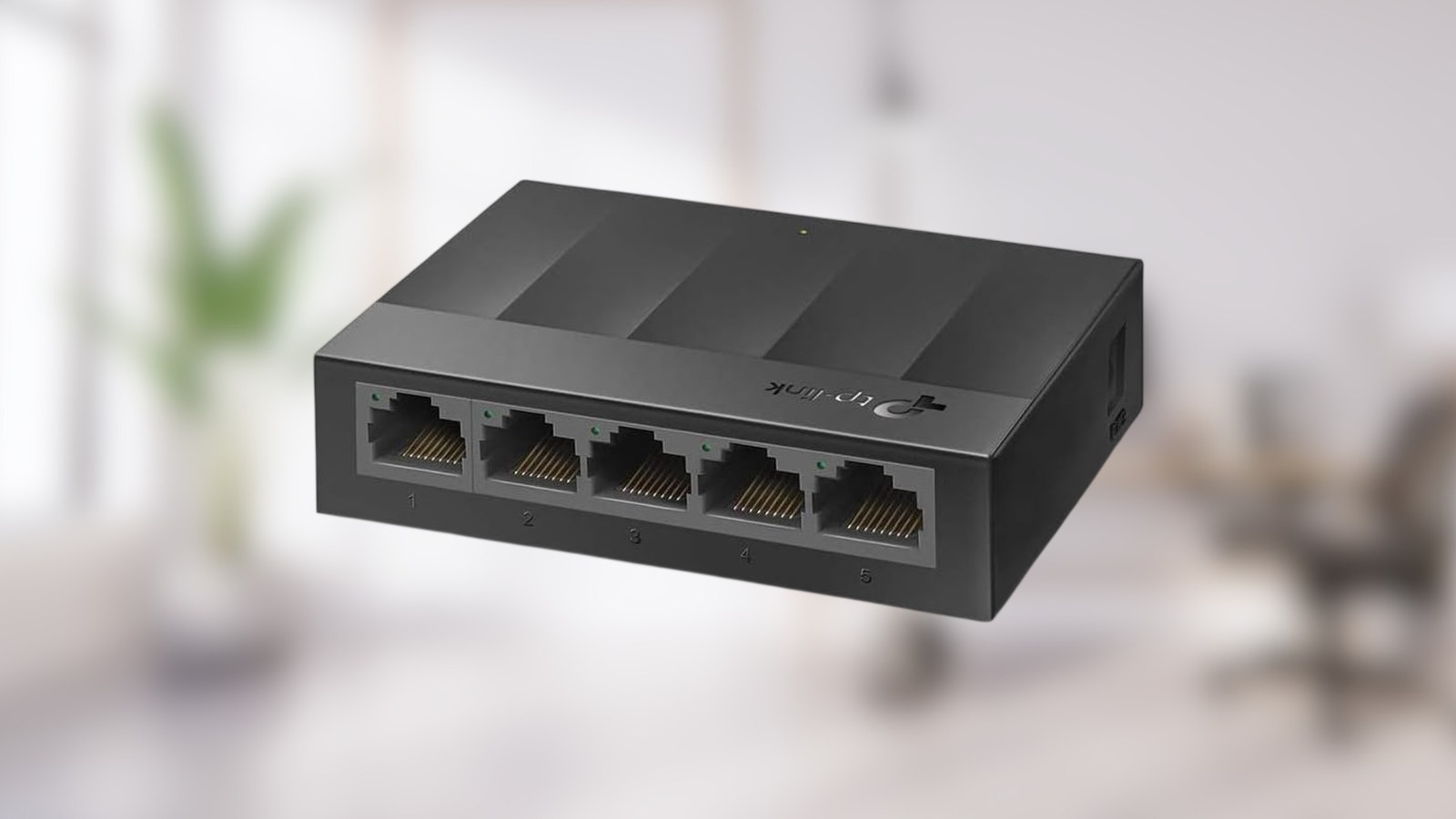
The Essential Upgrade: Why Your Gaming Network Needs a Gigabit Ethernet Switch
Are you tired of frustrating lag spikes, dropped connections, and inconsistent performance during your most intense online gaming sessions? While a fast internet connection is crucial, it's only half the battle. The true secret to unlocking a consistently smooth, low-latency gaming experience often lies within your local network infrastructure. This is where a gigabit ethernet switch gaming setup becomes not just an advantage, but an essential component for any serious player. This article will delve into why upgrading your network with a Gigabit Ethernet switch can dramatically transform your gaming performance, offering stability and speed that Wi-Fi simply can't match.
The Foundation of Speed: What is Gigabit Ethernet?
Before diving into the "why" of a switch, let's establish what Gigabit Ethernet is. In simple terms, Gigabit Ethernet (often abbreviated as GbE) is a wired networking standard that supports speeds of up to 1 gigabit per second (Gbps), which translates to 1000 megabits per second (Mbps). To put that into perspective, it’s roughly ten times faster than the older Fast Ethernet standard (100 Mbps) that many older routers and switches still utilize.
Most modern home networks, office environments, and even small server setups rely on this 1 Gbps wired standard. When you’re performing data-intensive tasks like copying large files between devices, streaming high-definition 4K video from a media server, or backing up critical data to a Network Attached Storage (NAS) device, Gigabit Ethernet ensures these operations move smoothly and efficiently. The prevailing standard for these connections is 1000BASE-T, which transmits 1 Gbps over common copper cabling, specifically utilizing all four wire pairs within a Cat5e or Cat6 Ethernet cable to send and receive data simultaneously.
Devices such as your high-powered gaming PC, the latest generation consoles, smart TVs, and Wi-Fi access points typically connect into a Gigabit Ethernet router or a dedicated Gigabit Ethernet switch. A key benefit here is that each port on these devices provides its own dedicated, full 1 Gbps link. This means that heavy network activity on one device – say, a large game download on your PC – won't inherently slow down another connected device, like your console streaming a game, as long as the overall network and internet connection can keep pace.
Why a Gigabit Ethernet Switch is a Game-Changer for Gamers
For gamers, the benefits of a gigabit ethernet switch gaming setup extend far beyond simple speed. While faster transfers are nice for moving game files, the true advantage lies in consistency, reliability, and responsiveness. When you're in the heat of battle, every millisecond counts, and a wired Gigabit Ethernet connection provides the stable foundation you need to secure victory.
Low Latency and Reduced Ping
Latency, often measured by 'ping,' is the delay between your computer sending a signal to a game server and receiving a response. In competitive online gaming, low latency is paramount. A wired Gigabit Ethernet connection significantly reduces this delay compared to Wi-Fi. Wireless signals introduce more overhead and are susceptible to environmental factors that can cause unpredictable ping spikes. A direct, dedicated wired link eliminates many of these potential bottlenecks, providing a much more consistent and lower ping, giving you a competitive edge.
Unwavering Stability and Reliability
One of the most frustrating experiences for a gamer is a sudden disconnection or a dramatic drop in performance mid-game, often due to Wi-Fi interference or signal degradation. A wired connection via a Gigabit Ethernet switch bypasses these issues entirely. It delivers a dedicated, robust link that is far less prone to interference from other wireless devices, physical obstructions (like walls), or crowded airwaves. This translates to an incredibly stable connection, virtually eliminating packet loss and ensuring your gameplay remains uninterrupted.
Dedicated Bandwidth for Every Device
Imagine your home network as a highway. On Wi-Fi, all your devices are sharing the same lanes, leading to congestion during peak times. A Gigabit Ethernet switch effectively gives each connected device its own dedicated highway lane (a full 1 Gbps link). This means your gaming PC or console can utilize its maximum potential bandwidth without being throttled by someone else streaming Netflix in 4K, downloading a large file on another PC, or a smart home device consuming bandwidth in the background. This dedicated bandwidth is a cornerstone of a high-performance Boost Your Gaming: Why a Gigabit Ethernet Switch is Essential.
Eliminating Local Network Bottlenecks
Even with a lightning-fast internet plan, your gaming experience can be hampered by a slow internal network. If your router or existing switch only supports Fast Ethernet (10/100 Mbps), it acts as a bottleneck, limiting the data transfer speeds between your devices, regardless of your internet speed. Upgrading to a Gigabit Ethernet switch instantly removes this internal bottleneck, allowing data to flow at 1000 Mbps within your home network, which is crucial for multi-player LAN gaming, streaming your gameplay, or quick game installations from a local server.
Beyond Speed: Unlocking Performance & Reliability
The decision to integrate a gigabit ethernet switch gaming setup into your home isn't just about faster theoretical speeds; it's about realizing tangible performance gains and enhancing overall network reliability. This shift can fundamentally change how you interact with your digital world, especially for data-intensive activities.
Wired vs. Wi-Fi: The Gamer's Definitive Choice
While modern Wi-Fi standards boast impressive theoretical speeds, these numbers often don't reflect real-world performance. Wi-Fi bandwidth is shared among all connected devices and is inherently susceptible to various factors that can cause significant speed drops and inconsistency. Walls, floors, other wireless devices, microwaves, and even neighboring Wi-Fi networks can all introduce interference, leading to fluctuating ping, packet loss, and frustrating lag spikes. A wired Gigabit Ethernet connection, conversely, delivers a consistent, dedicated 1 Gbps link directly to your device. For critical applications like online gaming, where precision and timing are everything, the superior stability and predictability of wired over wireless is undeniable. You can dive deeper into this comparison here: Gigabit Ethernet for Gaming: Wired vs. Wi-Fi Speed & Reliability.
Optimizing Your Local Network Powerhouse
A Gigabit Ethernet switch shines brightest when you have multiple wired devices that demand high performance. Think about your ultimate gaming setup: a powerful PC, a PlayStation 5, an Xbox Series X, perhaps a dedicated streaming PC, and even a NAS for storing your vast game library or recording your gameplay. Plugging all these high-traffic devices into the same Gigabit Ethernet switch (which then connects to your router) creates a high-speed data freeway within your home. This configuration ensures rapid local transfers, minimizes latency between devices, and prevents any single device from monopolizing your internet connection through internal congestion.
To further optimize, strategically place high-traffic devices such as gaming PCs, consoles, and media servers on the same Gigabit Ethernet switch. This setup ensures the fastest possible local transfers, which is vital for quick game updates from a local server or streaming high-bitrate content without a hitch. Always remember to check your router and switch labels for '10/100/1000' to confirm they support full Gigabit Ethernet speeds. Reserve Wi-Fi primarily for mobile devices, laptops, and smart home gadgets where mobility outweighs the need for absolute, unwavering performance.
Choosing the Right Gigabit Ethernet Switch for Your Gaming Setup
Selecting a Gigabit Ethernet switch might seem daunting, but for most gamers, the process is quite straightforward. Here’s what to consider to make the best choice for your gigabit ethernet switch gaming setup:
- Port Count: This is arguably the most important factor. How many devices do you need to connect via Ethernet? Switches commonly come in 4-port, 5-port, 8-port, 16-port, and even 24-port configurations. For a typical gaming setup with a PC, one or two consoles, and maybe a smart TV, an 8-port switch is often a sweet spot, providing room for growth. Remember, you'll use one port to connect the switch to your router.
- Unmanaged vs. Managed: For the vast majority of home gamers, an unmanaged Gigabit Ethernet switch is the ideal choice. These are plug-and-play devices that require no configuration. You simply connect your devices, and they work. Managed switches offer advanced features like Quality of Service (QoS), VLANs, and port monitoring, which can be useful for advanced network administrators but are overkill (and more expensive) for a typical gaming household.
- Form Factor and Placement: Consider where the switch will reside. Many switches are compact and can be easily tucked away behind a desk or entertainment center. Some are designed for wall-mounting. Choose one that fits your space and aesthetics.
- Energy Efficiency: Look for switches that incorporate "Green Ethernet" or similar energy-saving technologies. These features allow the switch to reduce power consumption when ports are idle or when connected devices are off.
- Compatibility: While a Gigabit Ethernet switch will operate with older Fast Ethernet devices (at 100 Mbps), ensure your primary gaming devices, router, and especially your Ethernet cables (Cat5e or Cat6 are recommended) all support Gigabit speeds to experience the full benefit.
Setting up your new switch is incredibly simple. You connect one port on the switch to an available LAN port on your router using an Ethernet cable. Then, you connect your gaming PC, consoles, and any other wired devices to the remaining ports on the switch. Power it on, and you're ready to experience a superior gaming network.
Conclusion: Elevate Your Gameplay with a Gigabit Ethernet Switch
In the competitive world of online gaming, every advantage counts. While internet speed gets a lot of attention, the often-overlooked secret to a truly superior gaming experience lies in a robust local network. A gigabit ethernet switch gaming setup provides the unwavering stability, low latency, and dedicated bandwidth that Wi-Fi simply cannot deliver. By eliminating internal bottlenecks and providing a rock-solid wired connection to your most important gaming devices, you'll experience smoother gameplay, fewer disconnections, and a significant boost to your overall online performance. Don't let an outdated or underperforming internal network hold you back; upgrade to a Gigabit Ethernet switch today and unlock your full gaming potential.