Gigabit vs. Fast Ethernet: The Gaming Performance Difference
In the competitive world of online gaming, every millisecond counts. While a high-speed internet connection often takes center stage, the unsung hero of a truly optimized gaming setup lies much closer to home: your local wired network. For years, gamers and tech enthusiasts have debated the merits of different Ethernet standards, particularly when it comes to the stark contrast between Fast Ethernet and its significantly faster successor, Gigabit Ethernet. But what exactly is the difference, and how profoundly does it impact your gaming experience? This article dives deep into the technical and practical distinctions between Gigabit and Fast Ethernet, helping you understand why upgrading your network infrastructure is not just a luxury, but a necessity for serious gamers looking for peak performance and stability.Understanding Ethernet: From Humble Beginnings to Blazing Speeds
The concept of Ethernet networking originated in the early 1970s at Xerox PARC, evolving over decades into the ubiquitous standard we know today for wired local area networks (LANs). Initially, Ethernet offered speeds of 10 megabits per second (Mbps), a revolutionary leap for its time. The first major speed upgrade arrived with **Fast Ethernet**, defined by the IEEE 802.3u standard. Introduced in the mid-1990s, Fast Ethernet pushed the boundaries to 100 Mbps. This 10-fold increase was a significant improvement, enabling faster file transfers and more efficient network communication for a rapidly evolving digital world. For many years, 100 Mbps Fast Ethernet was the standard for home and office networks, powering everything from basic internet browsing to early online gaming. However, as internet speeds grew and file sizes exploded, a new standard was needed. Enter **Gigabit Ethernet (GbE)**, also known as 1000BASE-T, defined by IEEE 802.3ab and ratified in 1999. Gigabit Ethernet represents another massive leap, delivering speeds of 1000 Mbps, or 1 gigabit per second (1 Gbps). This made it ten times faster than Fast Ethernet and a hundred times faster than the original Ethernet. What made Gigabit Ethernet particularly groundbreaking was its ability to achieve these speeds over standard unshielded twisted pair (UTP) copper cabling – specifically Cat5e or Cat6 – meaning organizations could often use existing wiring, making the upgrade more economical and widespread. Today, Gigabit Ethernet is the backbone of virtually all modern home and small office networks, largely replacing Fast Ethernet due to its superior speed, affordability, and widespread compatibility.The Core Difference: Speed and Throughput
The most obvious and impactful distinction between Gigabit and Fast Ethernet lies in their raw speed capabilities. Fast Ethernet maxes out at 100 Mbps, while Gigabit Ethernet operates at a blistering 1000 Mbps. This tenfold increase in bandwidth has profound implications, especially for gamers. Imagine your internet connection as a highway and your Ethernet cable as the exit ramp to your house. Fast Ethernet is a single-lane ramp, regardless of how many lanes your highway has. Gigabit Ethernet, on the other hand, is a ten-lane superhighway ramp. Even if your internet connection is "only" 300 Mbps, Fast Ethernet would create a significant bottleneck, preventing you from fully utilizing that bandwidth. Gigabit Ethernet ensures that your local network infrastructure can handle speeds far beyond typical consumer internet plans, effectively eliminating this internal bottleneck. How does this translate to gaming performance?- Game Downloads and Updates: Modern games are colossal, often exceeding 100 GB. Fast Ethernet would take hours to download such a title. Gigabit Ethernet slashes this time significantly, letting you jump into new releases or critical updates much faster. Even smaller updates benefit from the quicker transfer rates, reducing wait times.
- Cloud Gaming and Streaming: Services like Xbox Cloud Gaming, GeForce NOW, and PlayStation Plus Premium stream games directly to your device. These services demand substantial, consistent bandwidth to deliver high-resolution, low-latency experiences. Fast Ethernet struggles to maintain the required data rates for 4K or even 1080p high-fidelity streams, leading to visual artifacts, input lag, and a generally choppy experience. Gigabit Ethernet provides the ample headroom needed for smooth, responsive cloud gaming.
- Local Network Performance: If you're hosting a LAN party, streaming gameplay to another device in your home, or backing up game footage to a Network Attached Storage (NAS), Gigabit Ethernet is indispensable. Transferring large files across your local network becomes a breeze, without the frustrating delays imposed by a 100 Mbps limit.
- Latency and Stability: While raw bandwidth doesn't directly reduce your internet ping (which is more influenced by the distance to game servers and your ISP's routing), a higher-capacity local network *does* contribute to a more stable and consistent connection. With Gigabit Ethernet, your local network is less likely to experience congestion, especially in multi-device households. This means less packet loss and fewer micro-stutters that can be devastating in competitive gaming, contributing to a more consistent, lower-latency experience overall.
Why Gigabit Ethernet Matters for Gamers (Beyond Raw Speed)
Beyond the impressive speed figures, Gigabit Ethernet offers several critical advantages that elevate the entire gaming experience.Unrivaled Stability and Reliability: While Wi-Fi has made incredible strides, a wired Ethernet connection remains the gold standard for stability and low latency. It’s impervious to wireless interference, signal drops, and unpredictable fluctuations that can plague even the best Wi-Fi networks. Gigabit Ethernet, being the fastest widely adopted wired standard, provides the most robust and consistent connection possible for your gaming rig or console.
Multi-Device Households Thrive: In today's homes, it's common to have multiple bandwidth-hungry devices running simultaneously: a gaming PC, a console, a 4K streaming TV, a smart home hub, and several smartphones/tablets. If all these devices are vying for bandwidth on a Fast Ethernet network, congestion is inevitable. A high-quality gigabit ethernet switch becomes a central hub, ensuring each connected device gets its own dedicated 1 Gbps link to the switch. This means your gaming session won't be interrupted or slowed down by someone else streaming Netflix in the next room. For dedicated gigabit ethernet switch gaming setups, this multi-device capability is transformative, allowing every wired endpoint to perform optimally.
Future-Proofing Your Setup: The demands on home networks are only increasing. Game sizes continue to grow, 8K streaming is on the horizon, and innovative cloud-based services are constantly emerging. Investing in Gigabit Ethernet now ensures your network can handle these future requirements without needing an immediate overhaul. It’s a foundational technology that provides a solid platform for years to come.
Cost-Effectiveness and Accessibility: Gigabit Ethernet hardware is no longer a premium commodity. Modern routers, network cards (NICs), and switches almost universally come equipped with Gigabit ports. The cabling required, Cat5e or Cat6, is also widely available and inexpensive. This makes upgrading to a full Gigabit network incredibly affordable and straightforward for most users.
Upgrading to Gigabit: Practical Steps and Considerations
If you're still running on a Fast Ethernet setup, transitioning to Gigabit Ethernet is usually a simple and highly rewarding process. Here’s what you need to consider:- Check Your Equipment:
- Router/Modem: Most internet service provider (ISP) supplied routers or modern consumer routers are Gigabit-capable. Look for "Gigabit Ethernet" or "10/100/1000 Mbps" specifications on the LAN ports.
- Network Switch (if applicable): If you use a separate switch, ensure it also supports Gigabit speeds.
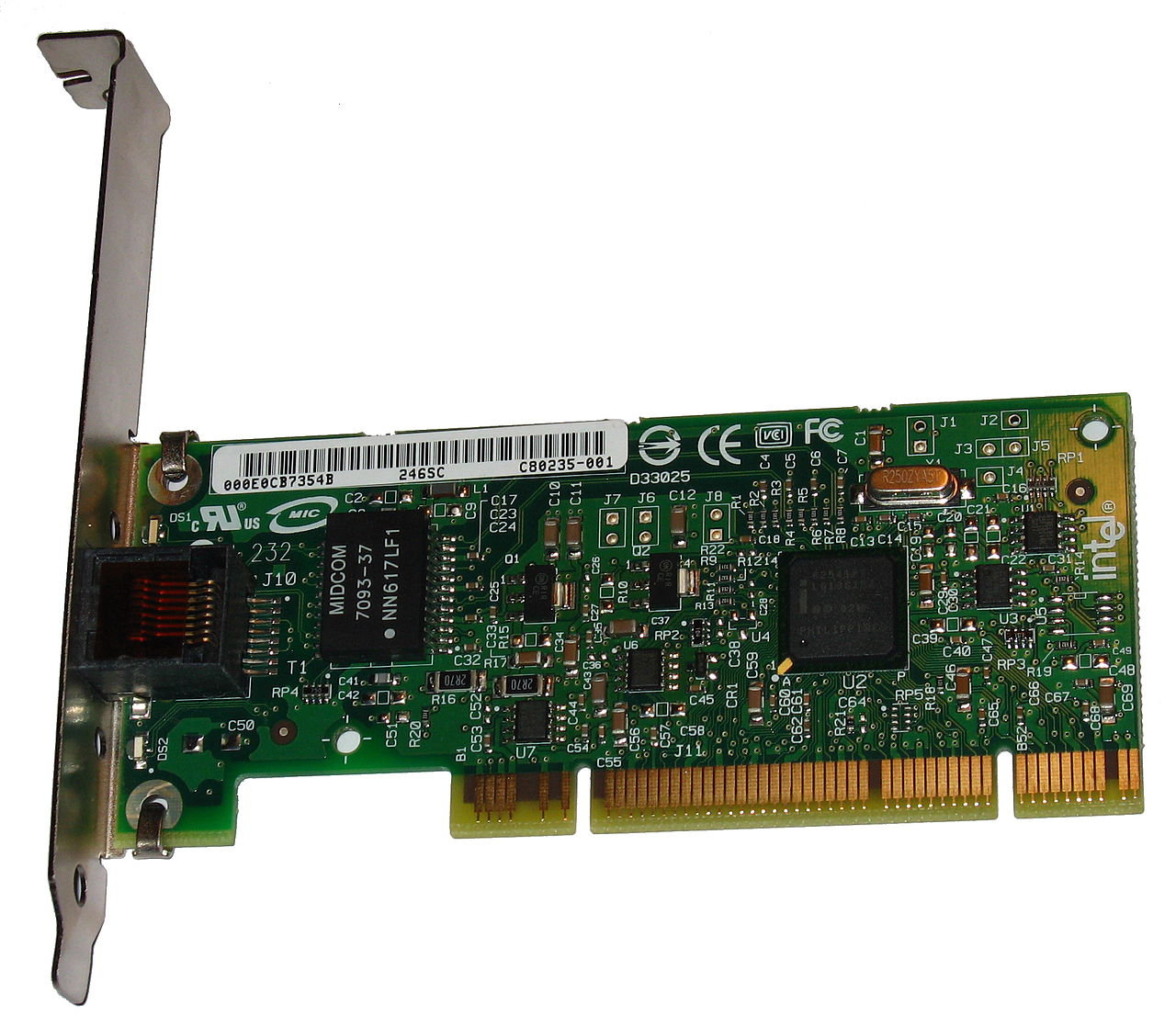
- PC/Console Network Adapter: Most gaming PCs and current-generation consoles (PS5, Xbox Series X|S) come with built-in Gigabit Ethernet ports. For older PCs, you might need to install an inexpensive PCIe Gigabit NIC.
- Cabling: This is crucial. To achieve full Gigabit speeds, you need at least Cat5e (Category 5 enhanced) or Cat6 Ethernet cables. While older Cat5 cables *might* work for some applications, they are not certified for Gigabit speeds and can introduce errors or limit performance. Cat6 offers better performance and future-proofing, especially for longer runs. Ensure all your cables, from the router to your device, are Cat5e or better.
- Implementing Gigabit Ethernet for Gaming: Maximize Speed & Stability: If you have multiple wired devices near your gaming setup but your main router is in another room, a dedicated unmanaged Gigabit switch is an excellent addition. Simply connect one Cat5e/Cat6 cable from your router to the switch, and then connect all your gaming peripherals (PC, console, smart TV, streaming box) to the switch. This creates a high-speed local network segment optimized for your gaming needs.
- Verifying Your Connection: After setting up, you can check your connection speed. On Windows, go to Network & Internet settings, then "View your network properties." Look for "Link speed (Receive/Transmit)" for your Ethernet adapter; it should show 1000/1000 Mbps. On macOS, check "Network" preferences, select your Ethernet adapter, and look at the "Speed" in the advanced settings.